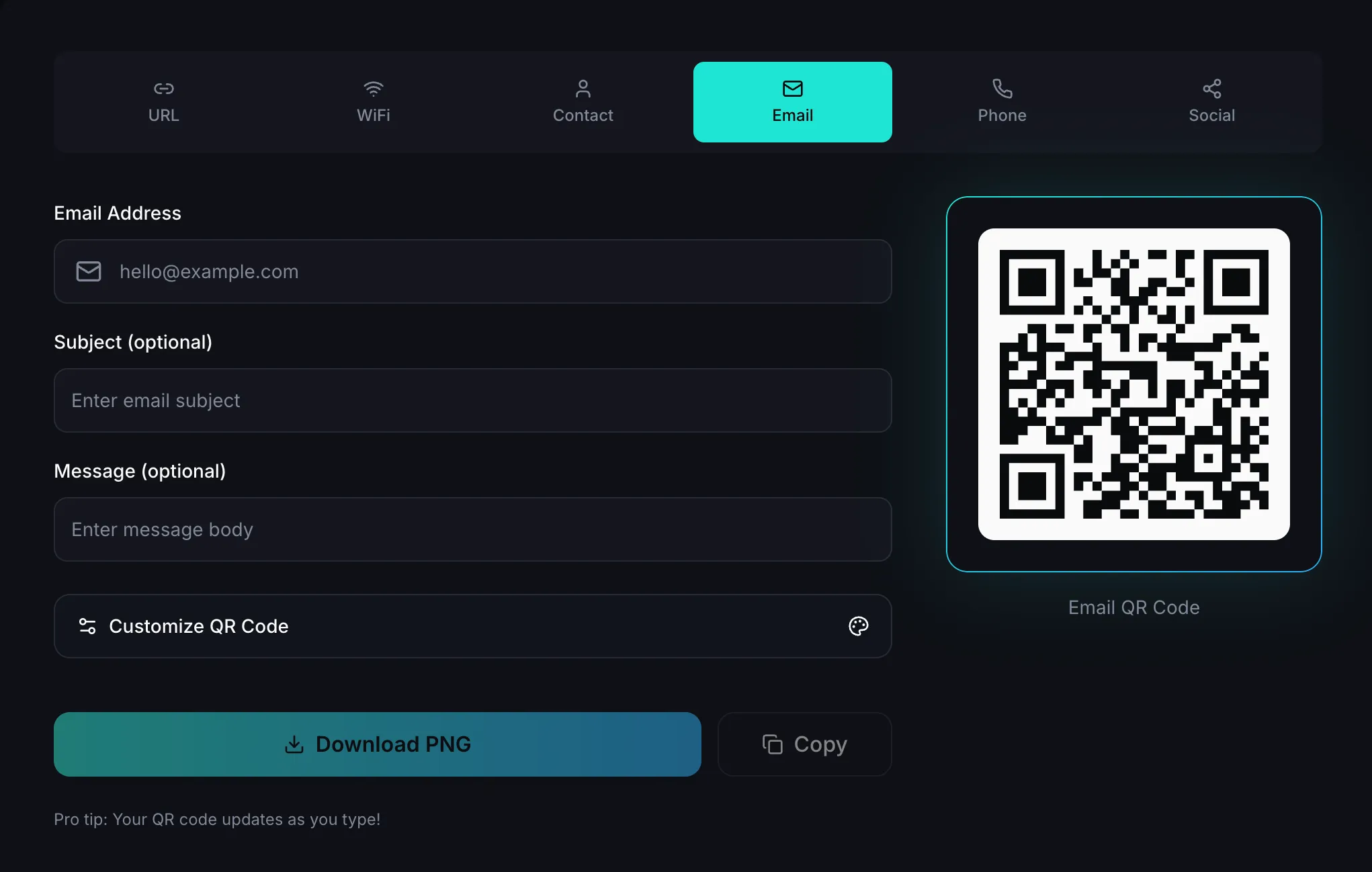
How to Create an Email QR Code in Minutes
An email QR code lets people contact you instantly. Instead of typing your email address, they scan once and their email app opens ready to send.
This is a great option for business cards, posters, event booths, product packaging, and customer support materials.
In this guide, you’ll learn a simple way to create one that works well for real people in real situations.
Why Use an Email QR Code?
Email QR codes remove friction.
- People don’t need to type your email manually.
- You get more inquiries because contacting you feels easier.
- It looks modern and professional on printed materials.
- You can guide users with a clear prompt like Scan to email us.
If your goal is fast communication, this is one of the easiest improvements you can make.
What Should Happen After Someone Scans?
Before you create the code, decide what experience you want:
- General contact: Open a blank email to your main inbox.
- Sales inquiries: Open an email to your sales team.
- Customer support: Open a message with a helpful starter subject.
- Event follow-up: Use a subject line tied to the event.
Keeping this clear from the start helps you make a better QR code.
How to Create an Email QR Code (Simple Steps)
- Open an email QR generator.
- Add the email address you want people to contact.
- Add a subject line (optional, but helpful).
- Add a short starter message (optional).
- Generate and download your QR code.
You can create one quickly using FreeQRApp Email QR Generator.
Keep the Design Easy to Scan
It’s tempting to heavily style QR codes, but readability matters more than decoration.
- Use dark code on a light background.
- Leave enough empty space around the code.
- Don’t make logos too large in the center.
- Avoid tiny print sizes.
Simple designs usually scan faster and more reliably.
Test Before You Share or Print
Always test your code first.
- Try it on both iPhone and Android.
- Test in regular room light and brighter light.
- If you’re printing it, test a printed sample at real size.
- Make sure it opens the email app with the right details.
This quick check prevents missed leads and frustrated users.
Best Places to Use Email QR Codes
Email QR codes work especially well on:
- Business cards
- Flyers and brochures
- Event banners and booths
- Product packaging
- Menus, invoices, and support documents
Anywhere people might think “I should contact them,” an email QR code helps.
Common Mistakes to Avoid
- Wrong or outdated email address
- Too much text pre-filled in the message
- Low contrast colors
- Crowded background behind the QR code
- Skipping testing before publishing
Avoid these and your code will perform much better.
Final Thoughts
Creating an email QR code is quick, but the impact can be big. It helps people reach you faster, reduces typing errors, and improves response rates.
Keep it simple, test it once, and place it where people already want to connect.
Ready to make one now?